Screen Guard - Screen Privacy
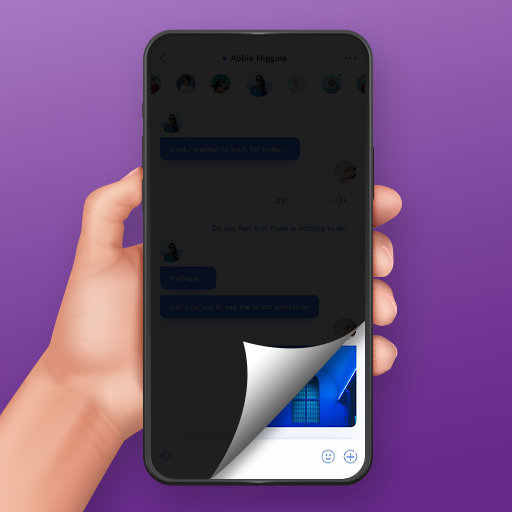
In an era where our mobile devices hold our most sensitive information, keeping prying eyes away is more important than ever. Screen Guard - Screen Privacy acts as a digital veil for your smartphone, allowing you to use your device in crowded public spaces—like buses, cafes, or waiting rooms—without worrying about "shoulder surfers" catching a glimpse of your private chats, banking details, or sensitive work documents. By applying a customizable tint or mask over your display, the app makes it nearly impossible for anyone looking from an angle to decipher what is on your screen, while you maintain perfect clarity.
📌 Core Features
- Customizable Tint Overlays: Apply professional-grade digital filters that obscure your screen content from side-angles while keeping it visible to you. 🛡️
- Resizable Privacy Masks: Take control of your space by resizing and repositioning the mask to cover only specific areas of the screen where private information is displayed. 📏
- Quick-Toggle Accessibility: Enable or disable your privacy protection instantly with a simple one-tap button, making it perfect for rapid transitions. 🔘
- Night-Mode Dimming: Beyond privacy, the app provides a dimming feature that reduces eye strain and helps conserve your device's battery life. 🌙
- Dynamic Opacity Controls: Easily adjust the transparency of the filter slider to find the perfect balance between high visibility for you and total darkness for others. 💡
👍 Pros
- Enhanced Peace of Mind: Feel significantly more comfortable using your phone in public areas or high-traffic environments. ✅
- User-Friendly Interface: The app features a streamlined design, ensuring there are no complicated menus or technical hurdles to navigate. ✅
- Battery Efficiency: By lowering the brightness/tint during nighttime use, you can prolong your device's battery performance. ✅
- No Hardware Required: Achieve the benefits of a physical privacy screen protector without the need for adhesive films or permanent hardware add-ons. ✅
👎 Cons
- System Overlay Permissions: Requires specific Android permissions to draw over other apps, which some users may find intrusive. ⚠️
- Touch Sensitivity Issues: In some cases, heavy filters can occasionally interfere with the precision of touch input on specific screen types. ⚠️
- Ad-Supported Model: The free version of the application includes advertisements that may disrupt the user experience. ⚠️
- Limited Advanced Automation: Lacks intelligent scheduling features to automatically turn on the filter based on location or time of day. ⚠️
💵 Price
Screen Guard is available as a free-to-download application. It utilizes an ad-supported model, and users may encounter in-app purchases to remove advertisements or unlock potential premium customization features. 💳